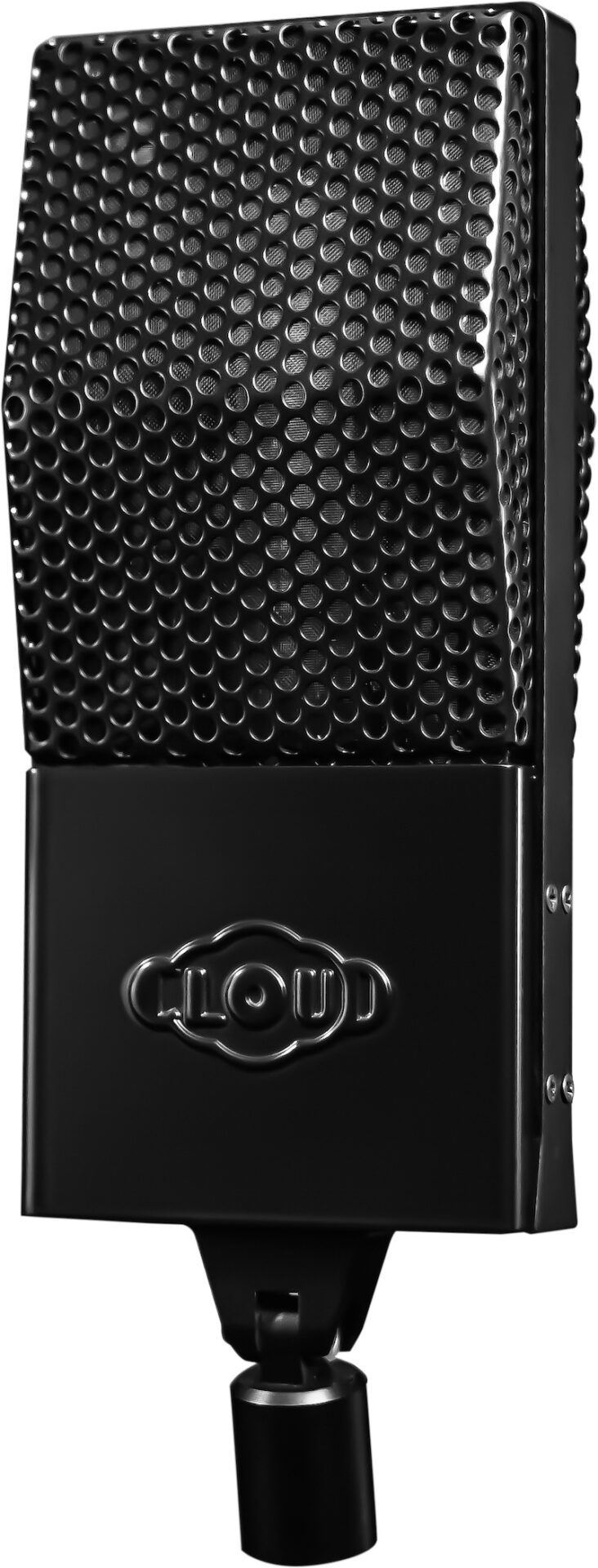
PSP Audioware Launches SpringBox — Spring Reverb Plugin for Mac/PC
April 22, 2013 by David Weiss
Here’s a beautiful start for your in-the-box adventures this week.
PSP Audioware, the Polish upstarts behind a plethora of highly prized plugins, have just launched PSP SpringBox, a hardware spring reverb emulation for Mac and PC (VST, AAX, RTAS).
A painstaking re-creation of the moving coil reverb units made famous for populating guitar amps and Hammond B3 organs, the distinctive sustain and metallic undertones of spring reverb have gone on to prove highly desirable for guitar, drums and many more mixing applications.
There’s a special intro offer to sweeten the pot (along with your mix). Until April 30, 2013 PSP SpringBox can be purchased for $49. Starting May 1st, the regular price of $69 kicks in. Owners of the PSP Effects pack qualify for an even better discount.
Here are more details, from the fine peeps of PSP:
PSP SpringBox is an emulation of a hardware spring reverberator (VST, AAX and RTAS for Windows; AudioUnit, VST, AAX and RTAS for Mac OSX). It recreates several features typical of a spring reverb, such as a convincing “boing” on transients and a repeatable resonating musical character with an adjustable presence.
A selection of configurations from two to six springs total is provided, as well as the ability to set stereo spread and pan/balance configured to suit various mix setups – from a typical guitar reverb to a creative uses as a send reverb in the mix. Thanks to PSP SpringBox’s two channel A and B settings setup and range of presets operation is fast and easy.
Hear SpringBox in action via the magic of YouTube:
Mix Analysis: How David Bendeth Mixed “Shadow Moses” by Bring Me the Horizon
April 14, 2013 by David Weiss
Massive. It’s the only way to describe the lead single “Shadow Moses” from British metalcore band Bring Me the Horizon and their new album Sempiternal.

David Bendeth was the mixer of choice for “Sempiternal”, the new studio album by Bring Me the Horizon. (click on all photos in this article to enlarge)
A 4:12 journey, “Shadow Moses” is a feast for those in search of rock that’s as advanced as it is emotional. The searing vocals, intensive rhythm guitars, and explosive drums will grab your attention first, but repeated listenings reveal plenty that’s decidedly different as well – keyboards, loops, evocative gang vocals, and space are all deftly combined inside.
The mixer who pulled “Shadow Moses” and the rest of Sempiternal together? David Bendeth, the longtime music industry pro who’s been a recording artist, A&R Exec, producer, mixer, and writer since he first topped the U.K. charts with his single “Feel the Real in 1980”.
While Bendeth continues to wear all those hats, it’s his mixing skills that are currently in highest demand – not surprising when you look at his hit track record for artists that include Paramore, Breaking Benjamin, Papa Roach, Taking Back Sunday, Lenny White Band, Kaiser Chiefs, Underoath, Bruce Hornsby, Killswitch Engage, Vertical Horizon, SR-71, and Elvis Presley (Elvis 30 #1 Hits).
Born in London, England, Bendeth long ago relocated stateside, and today he sculpts his highly musical mixes from the House of Loud, his SSL 4000-equipped studio in Elmwood Park, New Jersey. Although plugins are present and tapped regularly as he works in Cubase, the veteran mixer puts a big emphasis on his outboard gear, an enviable collection of classic reverbs, delays and dynamics.
Working with his assistants, mix engineer Brian Robbins and digital editor Mitch Milan, Bendeth had no shortage of fascinating challenges to tackle when mixing Sempiternal (Epitaph/RCA), the band’s fourth studio album. Produced by Terry Date (Deftones, Pantera, Limp Bizkit), the record’s pedigree got Bendeth excited from the start.
“Terry has made huge, great-sounding rock records,” he says. “For Sempiternal, he was able to make tracks that were so workable. We were very lucky to have an artist that was passionate about what they wanted, and a producer that knew where they wanted to go. On first listen, I heard a record with a lot of darkness and atmosphere. I saw the opportunity to create a listening experience that would be like watching a dramatic film.”
Bendeth could have understandably felt overwhelmed by the project’s high track count. Fortunately there was constant overseas communication between Bendeth, the group’s singer Oliver Sykes, keyboardist Jordan Fish, and guitarist Lee Malia (bassist Matt Kean and drummer Matt Nicholls round out the lineup). The result was a collaboration helpful in working through the musical puzzles that Sempiternal often presented, a process embodied perfectly by “Shadow Moses”.
Give the song a listen (and watch the arresting video while you’re at it), then read on in our latest “Mix Analysis” as Bendeth explains how he made this single slam so deliciously.
Construction Materials
“Shadow Moses” was the first track I mixed, because the band knew it would be the first single. And when they heard an album I mixed for the band Underoath, Lost in the Sound of Separation, they referenced that to me.
Bring Me the Horizon didn’t want me to make it sound exactly like that album, but they liked the overall sound of that record, which was produced by Adam D of Killswitch Engage. That was a highly risky record with all sorts of elements: keyboards, loops, and gang vocals. Underoath watched me mix it for three weeks! I thought, “OK, there’s a template for what they’re looking for,” and that was a starting point.
The Sempiternal album came on a hard drive with at least 120 tracks. Terry really covered his ass, because he’s old school: There were two sets of microphones on the guitars, the snare was miked underneath. The room mics were not great, because of the room, but certainly enough to work with.
We got the song up really fast, then realized how many elements there were. There was a choir, ambient keyboards, sections that were just strings, a loop, keyboard and vocals.
I realized there would be a lot of moves — it wouldn’t be a static mix. There would be hundreds of moves in each section of the song.
So these tracks came in with tons of vocals, tons of keyboards. I was shocked, because Bring Me the Horizon is supposedly a guitar band, and I was like, “Wow, this is a ton of production.” But I knew the new keyboardist, Jordan Fish, was helping the band to take their sound to the next level with his understanding of modern music.
I was in contact with him immediately, as well as Oliver Sykes, the singer. We were on the phone every day – that was the good news. The bad news was that they were on vacation in Bali! We would Skype every day for hours, and did that every day for the whole album mix.
I was also on the phone right away with Terry Date — he gave good direction on what he wanted to do. Using samples is not Terry’s thing, for example. He loves the sound, like I do, of natural drums.
But the band wanted all of the bells and whistles these days to be competitive, so I figured I had to get on that right way and get them a drum sound. Not by using a drum replacer plugin — stuff that we created here in the studio. Everything was prepped long before it hit the console.
I also listen to the lyrics, because I’m one of those weird guys who wants to know what the song is about.
Initial Pass
It was like, man, this is heavy! But the thing I recognized right away when I first put it up and got the vocals in was that there was this chant. It was great because it gave me this feeling like a ton of people were with him, and he was sort of at the center. It reminded me of Oliver Twist, very medieval sounding — like a medieval video game, with Oliver Sykes as the leader. It was very eerie. I had to create this vibe.
So I looked at the reverbs right away, and looked at the lengths. I wanted to use different kinds of delays, with different dotted 1/8th note and 1/4 note stuff, to give different ambience and lengths – things needed to get stretched out a bit.
Reverbs
Pretty much all of my effects are hardware, and I have everything hard-wired on my console, so I can solo all my reverbs. I love that, because I can hear what’s going on in the background of the song. I can hear how wet everything is, and I can govern myself accordingly. It’s so easy to just put a mix into “swim” mode – I do these things as tastefully as I can, so they’re not taking over the song.
Of course very studio has a Lexicon 480L, which I love. I’m not using it on the drums, just on the vocals. On drums I’m using an AMS reverb, an SBX 90, and I’m using Fireworx, which is a TC Electronics piece. I’ve got two PCM 42′s, which again is pretty standard, and I’m also using a Publison Infernal Machine 90, which is a very rare piece.
That Publison is interesting — the French built it, and it was the first unit you could ever use to sample in 16-bit, so it’s this big old thing. It’s a very rich reverb. It sounds like a plate – you’re able to push things on it, so it sounds atmospheric, very deep and dark, with a lot of depth to it.
And I’m also using another Lexicon reverb, a 200. It’s a double rack unit, and it’s really old.
Sometimes I’ll do something really stupid, like plug the SBX 90 into a Lexicon. That creates reverb on your reverb — it just puts it in a different place sonically.
Delays
For delays I’m going with the PCM42s, at a quarter-and-a-half, and I’m going with a plugin that’s creating a dotted 8th note with a half, and obviously just chaining the lengths. Then I’m EQing the reverbs on the way back, so that they don’t’ get too messy.
EQing
And of course the keyboard and loops. Jordan Fish had spent so much time doing it — he really wanted it to be heard. Terry Date’s exact words to me were, “Carve it out as you see fit.”
The first day I didn’t’ get it right, I still thought it was a guitar band. Then I started focusing on the keyboards, and getting the right ambience in there. That was a job, getting them not to fight each other: Guitars and keyboard can be on the same wavelengths, and pushing each other out. So we worked it and worked it, carving it till we got it.
Mixing It!
It was section to section. Overall, it was about pushing really hard, then backing off, and keeping the listener interested the whole time.
A Challenging Intro
After an initial call-and-response that Oliver does with the choir/gang vocal, the intro to the song has no vocals for a stretch of almost 40 seconds. I had to work on the song so something was going to happen there.
What do you do for those 45 seconds? My instinct was to make the snare smash like nothing you’ve heard before – let’s keep it exciting. It’s achieved by putting a lot of length on the reverb, and having it sound like it’s in an arena.
But I also paid attention to the attack of the snare – it’s their snare, with some samples that I use, to make it sound even more exciting. I mixed Paramore’s 2007 record Riot, and everyone remembers the sound of the song “Misery Business” (click the song title to listen) It’s interesting to see how people remember certain elements of songs you’ve mixed – and most engineers remember drums. I wanted to make this snare drum crushing. I wanted to make it too loud! (laughs).
Also in that intro section, I drew on the keyboard to make the keyboard build the tension. The guitars are staying where they are, playing that crushing thing, and the keyboards are moving through this progression, changing the feel of the song, right away. I jacked the keyboards along with the drums, so that there was a lot of movement, building and building and building into something like a movie.
I’m constantly riding the Ultimation faders — everything’s moving and nothing is static for long. I would push the guitars up and down – they’re actually moving with the music in time. I’m trying to make the song come to life, through the movement of the mix. Keyboards are getting louder and louder, the keys are getting fuller and fuller, and you’re like, “Wow, what’s going to happen?”
I also pushed the guitars way harder than I normally would, then I worked on the snare to make it smack you in the face, because it was in half time, while everyone in the band is full time. I also put the mics all the way up, to make it sound like this was the beginning of a concert. Then he starts screaming like Lemmy, that’ s the image I had — like Motorhead, the “Ace of Spades” (click on the song link to listen) kind of thing.
Then everything dries up as soon as Oliver comes in: It’s just guitars, bass, drums and vocals. He’s just front and center.
Verse to Chorus
I wanted everything pumping, but I knew when I got to the chorus in that song that I would get to half-time. And everything would have to unfold in a large way, because that would be the moment when everyone was focusing on the singing.
I had to make sure I had enough headroom when the chorus hit. You had to feel that the song opened up – I had to keep it tight up to that time.
So I got my template for the first chorus, and basically pushed everything as hard as I could, until the buss compressor started to shut down, and then I backed off. I’ve got another SSL compressor across my buss, and I was watching it to make sure it wouldn’t distort. Then, knowing that (Sterling Sound mastering engineer) Ted Jensen would grab it and move it another few dB, I widened it out and pumped it up, without letting the track fold.
Double Chorus Ending
At the end there’s a double chorus that goes from half time to full time. I listened to this vocal, and the first time I heard it, I didn’t know it was a vocal. It was up an octave, and I realized it reminded me of a steel guitar I heard on a Pink Floyd record.
I thought the background singer who performed that particular part did a great job with it, and I rode it as if it were a guitar, to make the last minute of the song different from anything else.
Finally, I had to come to a full stop with everything, and bring it down to nothing.
Panning
If you listen to the verse, then you’ll hear that the kick, snare and vocal are straight down the center. Then as you enter the chorus, it went from very small-sounding to very wide, quickly.
Lead Vocal Technique
I worked with the vocals first, so I could set the levels to the drums, and then I mix in sections of 8 to 16 bars. I do that section, stop, then figure out how I’ll bridge it to the next section, so that it becomes one seamless thing level-wise.
Oliver’s vocal performance is a combination of singing and screaming, so I had to go back and forth between the two tracks (that he recorded with the different feels). If you listen to the finished track carefully, you’ll notice the singer has no time to breathe between each line.
So during the mix, I had to make sure I could hear every single word. I dealt with that using a Compex Vocal Stressor which was on its own rail, and instead of riding the lead vocal, I rode the stressor. I’d just move it 2 dB, and I listened to it at very low volume, so I could make sure I heard everything he was doing.
The point was not to use too much reverb on the screaming part of the vocal – just a little bit of 1/8th note delay on the PCM42, and then a little slap which we created on a plugin set at 80 milliseconds. On the choruses there was an ADL with a little bit of room, and then a quarter note delay to give it the length, along with the aforementioned Vocal Stressor.
Then there was a double of Oliver’s vocal, which I put just to the right at one o’clock – it was tucked underneath the primary vocal track. There was also a pair of stereo doubles, so it didn’t sound like there were two people singing, but it did sound fuller.
On the lead vocals I also had an original Gates Sta-Level, the old 1958 tube job. I like to use the Gates because it gives it a sonic sound. It just doesn’t give it compression, it gives it this overdriven tube sound, and you’re able to control the clarity, and how much you’re pushing it – you’re able to push it without folding it. That’s why they call it the Sta-Level!
I love the sound of the Gates, and of the sound of the Vocal Stressor. They both seem to grab the top end, and the clarity and the annunciation of the words, so I can sit it in the track and not worry about it.
Especially with the center information – the kicks, snare and bass – you have to be very careful that they’re arriving at your ear at the same time, and not losing that center frequency. One dB too much of bass, and the vocal’s gone. If the snare, kick and bass are overloading, and the vocal’s sitting there too, you’re going to lose the detail of the vocal.
Along with the lead vocals, there was the background gang/choir vocals – that was about ten vocal tracks in all.
Choir
To mix the choir, I used the Publison. I put it into a concert hall setting – probably two seconds – and basically spread that left and right. I put a little top end on it with the EQ, and used the SSL compressor on it as well.
Gang Vocals
You have to be very careful with gang vocals. If you don’t have the right reverb on it, they sound like they’re in your toilet. But they can sound like they’re in your living room.
I wanted the gang vocals to sound like they were out of the book Oliver Twist – like they’re outside with torches, yelling at you. I went for a hollow reverb that keeps going, so as they sing the next line, their first one is still going.
I wanted people to sound like they were storming a castle. Long reverb that’s dark, two stereo tracks with center information spread left and right across the spectrum. The stereo spectrum is not all that bright. I tried to make it full. I tried to have it hit you, so you hear every single thing clearly.
Guitar Focus
If you listen to something like a Pantera record, Terry Date knows his guitars. They came in pretty good, but everything came in with these drums that didn’t have these samples on them yet. And I did something to beef up the bass as well.
So we augmented the guitars by running them through some original Neve 1073′s that I have, and making them warmer. Remember, once you make the drums and bass move, it’s very dangerous because you have guitars that were recorded to another drum kit.
So we had to make the guitars a little bit more low-middy, pushing them to 200 Hz – those lower mids that you know you’ll need. The key was to make the top end of the bass the same as the bottom end of the guitars, so they dovetail.
Big Bass
On metal records, it’s more about sub, and way less about articulation of the bass guitar – the lower mids and the attack.
So we spread it over three tracks, which I always do: the original track recorded with the amplifier, a DI, and a reamp using a SansAmp. I put them each on a separate rail (fader), and then brought them into a formation that was pleasing to me, listening to the bass and drums together so the kick and bass lined up.
That’s one thing I do with the bottom end – I make sure the kick and bass are slamming together, that they’re really down there. You can’t really hear it on YouTube, but there’s a lot of sub. In every single section there’s an 808 super-bass drop, happening seven or eight times in the song, making sure you could hear it. The bass and drums working together like that sounds powerful.
Mixdown
Monitors
Throughout the mix, I’m monitoring on NS10’s and Tannoy System 12 DMT mains, with no sub.
One thing that’s really important is that I set the NS10’s on a certain level, and then the Tannoy’s at a certain level. I go back and forth, and if I hear a difference I know the mix is off. They have to sound exactly the same – when I do it, you don’t even know I’m changing my speakers.
I do this because when you’re working on the NS10’s, you’re not going to hear subs or certain frequencies because those monitors are very concentrated on a certain midrange approach. So when you go to the Tannoys, everything becomes that much bigger and wider, but you should still be able to hear the details of the mix.
s
It’s about the full dynamic range arriving at your ears at the same time, and that’s achieved through balancing and EQ, which you mix at low level. When you stand back, you turn it up and say, “Are the two monitor pairs sounding the same, or aren’t they?” If not, then you’ve blown it – you haven’t mixed something that will translate on every setup.
Printing the Mixes
I do seven different mixes at the end – I cover my ass, like all mixers need to do! So you’ll get a (mix with) a half dB-vocals up and effects, then the same thing a half dB down. Then the vocals one dB up and down on all the vocals. Then you’ll get an a cappella mix, an instrumental mix, and you’ll get stems of everything.
Every mixdown goes through an SSL compressor, and then another custom one that Dan Korneff made for me. So the signal path goes through the SSL 4000 console, to that console’s compressor, to the other SSL compressor. Then I have an API across the bus, touching it just enough to clear it out if there’s any confusion.
Also, you’re pretty safe with me in terms of the levels you’ll get – there’s no distortion. I’m going to give (Sterling Sound mastering engineer) Ted Jensen everything I can to make his job easier to do.
I give him what he needs to widen it all out, and put the EQ down the center. You have to make sure the levels aren’t too hard, not hyped in any way, so the mastering engineer can handle it properly where he is.
Yes Master
I’ve been using Ted Jensen since I was 25. I’ve done 95.5% of my records with Ted. I mix with Ted in mind, because he’s just so good at what he does.
I just think he’s really, really musical. He’ll say, “What does this track need?” Sometimes he’ll say, “This track needs nothing,” or sometimes he’ll say, “It needs a little bass.” I don’t think Ted looks at numbers – I think he just moves things until they sound right.
It All Adds Up – The End Result
I’m not gonna lie: The first day, when they were evaluating the first mix, everyone was like, “Change the snare, change the levels,” – it was all level stuff, in a flurry of changes from the management, label and band.
I took everyone’s notes, and then the keyboard and guitar player stepped up to the plate and said, “You’ve got it. Just shape it up a little bit more.” The second day they said, “It’s done. You’ve got it.” I couldn’t believe it.
Having them be really confident in me was fantastic. All those hours of talking to Oliver, and getting his concept, really helped shape this musically, as well as lyrically.
The 10,000-foot View
This was a perfect project for me. It wasn’t metal, it was a progressive rock record. It had aspects of metal, but at the same time a lot of musicality to it. This really pushed my boundaries. I was able to draw on a lot of elements of dynamics.
The main issues was that the band wanted to move out of the genre of just being a Warped Tour band, and do something a little more daring. The first track on the album, “Can You Feel My Heart,” is the second track that I mixed, and it’s like a dubstep song – you’ll be shocked by the whole album, there’s so many different elements to it.
All the reviews of Sepmiternal are a “10”, but that’s a credit to the writing, and the ability to be melodic – not just scream on a record.
The team that was put together – Terry Date, myself, Ted Jensen – we’ve all had huge platinum records, we all have experience. The perfect band came along at the perfect time, they targeted the right people to do a great job, and it’s rare when that happens. It was the perfect storm for everybody involved.
– David Weiss
Sound Magic Launches Neo Reverb — Hybrid Algorithmic & Convolution Reverb
April 6, 2013 by David Weiss
If you’re going to put a new reverb out there today, it better have something to stand out.
Sound Magic sounds confident that they’ve got that with their recently released Neo Reverb, a VST plugin for Windows which they explain as a hybrid between an Algorithm and Convolution reverb.
As a quick refresher, convolution reverb uses samples of real spaces or of other reverb devices. Algorithmic reverb, on the other hand, simulates a space using math alone.
The company gets pretty brainy on their Website, which offers plenty of details on the advancements that Neo Reverb offers. The key is a highly efficient processing engine capable of delivering complex reverbs, that Sound Magic claims are indiscernible from hardware units such as the Lexicon 480L and TC System 6000.
Read on, listen to the demos for yourself, and see if you want to hear more. Neo Reverb is available now for €99 or $128.82 USD at today’s exchange rages, for the “standard” version. The Pro Version is €199, or $258.94 USD, and includes an IR (Impulse Response) file convertor, which enables users to convert IRs into Neo Reverb’s Algorithm IRs.
Features:
• Internal 64-bit floating point precision.
• All-Purpose Reverb contains 8 Algorithms for different spaces, including, Hall, Concert Hall, Room, Plate, Chamber, Ambience, Space, etc.
• Hybrid Convolution and Algorithm Reverb Engine.
• Cascade True Stereo technology.
• Powerful modulation system helps to achieve a dynamic sound.
• Over 40 in depth controls on the Reverb.
• Over 130 algorithm IRs in 6 different categories.
• Dual Cores Controls let users compare different settings quicker.
• Support up to 32-bit/384kHz resolution.
Hear Neo Reverb in action in this video:
Electro-Harmonix Shipping Epitome Multi-Effect Pedal
February 15, 2013 by Gabriel Lamorie
Incase you missed this gem back at NAMM, the Epitome from electro-harmonix combines three of the company’s most iconic pedals into one excellent effects pedal. The Epitome is a combination of the Micro POG, the Stereo Electric Mistress and finally, the Holy Grail Plus reverb.
The Epitome from electro-harmonix is available now for $514 MSRP but can be found for a street price of $368.88. Here is what electro-harmonix has to say about their glorious new multi-effect pedal:
Trinity Cubed
The quintessence of tone! This powerful digital multi-effect begins with the flawless polyphonic tracking of the Micro POG, generating an octave above and below your pitch. Next, the creamy flanging and chorus of the Stereo Electric Mistress weave and undulate the richest modulations. Finally, the Holy Grail Plus wraps you in a silken shroud of luxurious reverb.
Switch on Shimmer to re-route the effects. Now the Grail reverberates the POG’s wet signal, with the Mistress at the end of the chain, adding lush flanging to the reverb tails. Shimmer also transforms the Grail into a digital delay with the POG in its feedback path for inspiring ascending and descending octave effects.
Native Instruments Launches Reverb Classics – For All DAWS or Maschine
February 5, 2013 by David Weiss
Is looking at your reverb as important as listening to it? Native Instruments is betting that it is.
The prolific developer recently launched Reverb Classics, a pair of plugin reverbs inspired by hardware classics, but with a new twist. Created in cooperation with Softube, both the RC 24 and RC 48 feature powerful visualizers that significantly expand the user’s control of all parameters.
In addition to its uses for music, Reverb Classics should prove extremely useful for sound design and other creative applications, running from subtle to extreme.
Both effects run as VST, AU, or AAX plug-ins inside all popular host sequencers. A free demo of each effect is available from the Native Instruments website. For those ready to pay out, The Reverb Classics bundle is available at the NI Online Shop for $199. The two effects are also available separately: RC 24 is $149, and RC 48 similarly goes for $149.
Here are more details, from Native Instruments:
REVERB CLASSICS are two premium-quality algorithmic reverbs inspired by renowned studio hardware. While each effect has its own distinct sound, both provide a rich, harmonic character that adds dimension and depth to any source. A first-of-its-kind display provides visual feedback to monitor the effect’s output in real time – a powerful feature for quickly shaping the effect with ease and precision. The REVERB CLASSICS were created in cooperation with Softube, the acclaimed Swedish company renowned for their painstakingly accurate emulations of audio hardware.
The REVERB CLASSICS faithfully recreate two renowned algorithmic reverb units that rose to prominence in the 1980s and 1990s. Each has been featured on countless studio recordings and is a standard effect in top studios around the world. The RC 24 provides a rich, dark, and instantly identifiable sound suitable for anything from subtle widening to dramatic sound design. The RC 48, while sharing some similarities, sounds richer, lush, and somewhat brighter by comparison.
The most striking feature of the REVERB CLASSICS is the prominent graphical display, which takes up roughly half of the interface. This display effectively visualizes the shape and depth of the reverb, as well as the decay of the reverb tail. The display immediately reacts to parameter adjustments, allowing users to visually monitor the effect in real time, and providing a new approach to reverb design.
The RC 24 is inspired by one of the first digital studio reverbs to gain wide popularity in recording studios around the world. Featuring Large Hall, Small Hall, and Room reverb algorithms, the distinctive sound of 12-bit A/D converters provides a unique quality that cuts through dense mixes with a unique presence. The RC 24 is equally useful on acoustic and electronic sounds for adding rich dimension, texture, and space while still preserving the original harmonics of a sound. Pushed to extreme settings, it can be used as a creative sound design tool, transforming relatively simple sounds into metallic percussive textures, dense, drone-like pads, or anything in between.
The RC 48 delivers two hall algorithms inspired by a classic studio reverb heard on numerous gold and platinum recordings, as well as game, TV, and film soundtracks. The RC 48 delivers lush, musical reverb renowned for the depth it gives to vocals and acoustic instruments. A wide variety of versatile textures can be achieved through adjusting the Diffusion and Spread controls, while an additional Effect option on the Size fader allows users to create interesting new modulation effects. The Random Hall algorithm also features Spin and Wander controls, providing random movement with lively, natural tails.
PSP Audioware Releases PianoVerb2
January 27, 2013 by Gabriel Lamorie
PSP Audioware has developed a new plugin to experiment and add life to our tracks – PSP PianoVerb2. This new plugin is based off of their excellent freeware plugin, PSP PianoVerb except this time around, it comes with many other features. The plugin still utilizes their unique method to create the reverb but is equally suitable toward experimental uses with the new features.
PSP PianoVerb2 is available now for a limited introductory price of $39 until February 1, 2013 ($49 MSRP). The plugin is for Mac and PC in AU, VST, RTAS and AAX formats. PSP PianoVerb1 is still available as a freeware plugin. Here is the lowdown from PSP:
“PSP PianoVerb2 is a redesigned and improved creative resonant reverb plug-in (VST, AAX and RTAS for Windows; AudioUnit, VST, AAX and RTAS for Mac OSX) plug-in based on our famous and beloved freeware plug-in PSP PianoVerb. Like the original PianoVerb it creates its unique sound with twelve resonant filters that mimic the behavior of piano strings. The ability to transpose, tune and detune the set of strings allow you to set up PianoVerb2 to deliver a wide range of reverberations ranging from traditional wide spread reverb to unique and unusual resonances.
With the addition of a brand new modulation section and the ability to set up multiple settings of time and damping and decay freezing (via A/B comparison function) this little plug-in delivers amazing options for creative use. Add to that some other amazing new additions such as a high pass filter section, independent dry/wet controls and a reverb tail freeze control, and you can see just how PianoVerb2 has become a truly comprehensive and unique algorithmic reverb. Whenever you want to add some natural resonance to a weak piano track, vitalize your leading guitar with a bit of sustain or simply add a touch of a nice reverb to the selected track, PSP PianoVerb2 can do the job!”
Analoginthebox Launches Phonocamptica & Tank Reverb Libraries
November 23, 2012 by David Weiss
The offerings for the versatile Nebula VST plugin platform are continuing to grow.
Two of the latest libraries come from Analoginthebox.com, in the form of their Phonocamptica & Tank Reverb collections. Both are available now for 12.99 Euro, or $16.75 at today’s exchange rates.
For those who haven’t checked out Nebula yet, this VST plugin from Acustica Audio uses libraries sampled to extremely high specifications to emulate different types of vintage gear, including equalizers, filters, microphones, preamps, compressors, reverb and generic time-variant processors.
Here’s how Analoginthebox – an analog-loving bunch from Germany – explains their newest offerings:
“Phonocamptica is a reverb-collection that is dedicated to Athanasius Kircher and his studies. With ‘Magia Phonocamptica, sive de Echo’, Kircher has developed regularities in how sound reflects. With more than 50 different reverb-programs, the library is a universal tool for nearly every task where a reverb is useful, be it for movies & soundtracks, instruments, vocals or sound design.
All the reverbs are derived from two of the most famous reverb-machines out of Denmark. What makes it very special is the fact, that every single program is tweaked until the developers were satisfied by their own.
Tank Verb is a unique collection of Nebula presets dedicated to accurately recreating the famous Accutronics spring reverb tanks.
There are dozens of impulse response libraries of classic studio spring reverb units, but almost no library takes care to represent these awesome little spring reverb tanks that have been built into countless guitar and keyboard/organ amplifiers for decades.
We decided to fill this gap by not only capturing the sound of the Accutronics reverb tanks and their tube-driven reverb gain stage as perfectly as possible, but at the same time making the digital results suitable to more sources than just guitar or keyboard tracks.
A legendary 2×12 combo amp was used for clean tones and parts of its circuit , but better resuslts a better reverb driver based on the creative experiences of Analog In The Box was build.
Time-proven concepts meet spectacular innovation!
By using different filters in the reverb driver and changing the tubes in the gain makeup stage before sampling each preset is a dedicated spring reverb library for Nebula that provides a vast selection of amazing spring reverb tones.
This guitar amp is the eponym of the library. The amp itself is often described as being as heavy as a tank….
The Core-Library consists of 20 different spring reverbs, which can have even more variations with the Add-On library. All together the complete set consists of 228 presets (12GB) in total. Each preset comes with a preview and lightweight (clean) program.”
Plugin Developer u-he Releases Uhbik-A Rack Extension for Reason
August 27, 2012 by Gabriel Lamorie
In case you haven’t already heard, Propellerhead has recently opened up its doors to third-party developers for the purpose of developing “Rack Extension (Re)” plugins that are designed to work specifically within Reason’s workflow.
The plugin developer u-he (popular for their Zebra synth) jumped at this opportunity and recently released their Uhbik-A ambient processor. This Rack Extension is available now at the Propellerhead Shop for an introductory price of $19 until September 30th, at which pint it will then be available for $39.
Here’s what u-he says about their first Re:
“The reverb from u-he’s popular Uhbik line poses a very unusual combination of early reflections with different plate algorithms.
While most of the other effects in the Uhbik family are geared towards the more synthetic, radical effects, Uhbik-A is the master of understatement. Great reverb is seldom conspicuous, but if itʼs not there, something is missing from the sound.”
Sound Smack! By AfroDJMac – Resampling Part III: Deja Delay & Reversed Reverb
August 13, 2012 by AfroDJMac
Over the past few months we have discussed how resampling can rejuvenate your tracks and breathe new life into old gear (see Part 1 and Part 2in this series). Over the next few installments, I want to talk about specific techniques you can accomplish with resampling, the first being a technique I like to call “Deja Delay,” as well as “Reversed Reverb.”
Delay is a time-based effect. When you place it on a track, vocals for instance, the delay will last for a specified time after the vocal phrase ends. There a couple of ways you can combine this (or any other time based effect, such as reverb) with resampling to come up with some interesting effects.
Deja Delay
Follow along in the video (at the bottom of the page) as I show you how to create what I call Deja Delay.
First I start with a vocal track with some delay on it. Next I resample, or rerecord, that vocal plus delay on to another track, so that the vocal and delay are married together. For the next step, I reverse that newly resampled vocal.
Now when listening back, the delay tail swells in and crescendos into the reversed vocal. From there, I trim off just the reversed delay and place that in front of the original vocal.
The result is that a reversed delay sound will swell into the original vocal line, creating an almost ghost-like effect. It can be very useful in bringing vocal and instrument parts to life.
Reversed Reverb
Another modification of this technique, and perhaps not-so-distant cousin of Deja Delay, is Reversed Reverb. This technique will create a reverb swell before the vocal (or any instrument) and adds anticipation and interest to a vocal performance.
Creating this effect requires some creative use of resampling:
First, reverse the untreated vocal. Next, place a reverb on the reversed vocal. Resample this processed vocal to a new track. Now you have a reversed vocal with a reverb tail at the end.
To finish off the effect, simply re-reverse the reverb treated vocal and you will have a reverb swell before the vocal line begins. Just align the newly resampled vocal track with the original to fit properly within your track.
Hopefully these techniques give you some ideas on how to treat your tracks, without the need for additional gear or plugins!
Do you have any interesting uses and applications for resampling? Let us know in the comments, and stay tuned for the next installment for more resampling tricks and techniques.
AfroDJMac: (noun) One Man Musical Aphrodisiac; Simultaneously Futuristic and Nostalgic Indie Dance Party, blending Rock, Dance, Glitch, and Old Video Games.
2CAudio Releases B2 Reverb and Dynamics Processor
August 6, 2012 by Gabriel Lamorie
2CAudio is a future-forward plugin developer with many unique approaches to their plugin designs and functions. The company continues these methods with the new B2 plugin that has a massive amount of functionality: create excellent sounding reverbs as well as bizarre effects by implementing distortion and dynamics processing like EQ dampening and gating.
B2 is available now for $249.95 MSRP for Mac and PC in VST, AU and RTAS formats (AAX format on the way). Here is just a snippet of what 2CAudio has to say about their new plugin:
“FULL BODY. MAXIMUM ATTITUDE.
B2 is a modular dual-engine, non-linear spatial processor featuring built-in harmonic distortion and flexible dynamics. It is our most advanced plug-in to date and is capable of both mind-bending creative effects that defy classification as well as stunningly lush reverbs. Its modular design enables an almost infinite variety of sonic possibilities.
FEATURE SUMMARY
Two identical and independent engines • Pervasive non-linearity and controlled randomness providing unique character and excitement • Non-linear distortion ranging from subtle saturation to extreme bit-crushing • Parallel as well as serial and hybrid configurations via Cascade • Modular design that gives limitless configurations and minimizes CPU usage • Extreme range in density ranging from a single delay to full white noise as well as complex & clustered IRs • Two dynamics modules providing Gating, Ducking, Auto Gain, and more
• Well-designed and ergonomic GUI which organizes deep complexity into a simple and enjoyable workflow • Huge number of novel and unique Damping and EQ filter types • Complex and Extreme Stereo Modes • Advanced Conservation of Energy scheme that maintains RMS levels when editing presets • Comprehensive Factory Presets and Preset Browser • Engine Templates to facilitate preset design • Ability to load Breeze presets as Engine Presets • Dynamics sub-preset system that is distinct from engine presets to allow mix-and-match preset creation • 2x & 4x Oversampling • Double Precision 64bit DSP • Band-limited Interpolation • Proprietary Spectral Modulation • Variable Quality Modes • Extreme Off-line Render Modes • 64bit Host/OS Support on Windows (forthcoming on OSX) • Optional global saturation and soft-limiting for added character and color”