Review: Universal Audio UAD Ampex ATR-102 Plug-in

January 17, 2012 by  
/* Filed under Deli Feed, Deli NYC Feed, Tech & Reviews */

If you make your living recording and mixing music, no matter how much you may love working with tape, the budgets for many a project will simply not allow you to use it – either because of the cost of the tape itself, or the cost imposed by the workflow that tape demands.

Early ATR-102 being used in style...

Universal Audio created their UAD Ampex ATR-102 plug-in for the UAD platform to address this modern-day problem. This plug-in runs on a UAD-2 card, and can be used in VST, AU or RTAS plug-in formats.

The UAD ATR-102 is modeled after the famous 2-track Ampex ATR-102 tape deck that’s been in constant use in studios all over the world since it was first introduced in 1976.

According to Universal Audio’s marketing department, the ATR-102 is “considered by many engineers to be the best sounding tape machine for final mix down.” And the resale price of these specific machines would tend to bear this claim out. Last time I checked, a refurbished ATR-102 was selling for over $10,000!!

If it Looks Like an ATR-102 and Sounds Like an ATR-102…

Universal Audio has (again) done a fabulous job of creating a convincing visual replica. Clearly this is a selling point on the plug-in emulations market, and I am open to the suggestion that the authentic looking graphics may well help fool my ears into thinking that that which looks like a tape machine also sounds like one.

And yet, I think one of the appeals of plug-in emulators is that they present us with a familiar set of parameters. The learning curve feels faster because our brains already have an idea of how something should work, and we – the users – can anticipate the results, even to the point of convincing ourselves that something sounds like the real thing when it doesn’t. It at least kind of acts like the real thing, right?

UAD Ampex ATR-102 Plug-In GUI

With that in mind, I’d like to believe that if the UAD ATR-102 were a 100 miles away from sounding like the hardware, I could tell the difference. The moment that convinced me that this plug-in is, in fact, shockingly close to the hardware, was when I changed the head stack setting from 1” to 1/2”. I’ve never used a 1” ATR-102 before so I don’t have a point of reference for it. I have, however, spent plenty of time with the 1/2” ATR-102. The minute I engaged the 1/2” head stack setting on this the plug-in, my jaw dropped. I was hearing that familiar smoothness with a slight roll-off on the low, low end, that has served so many, so well.

I’d go as far as to say that this plug-in sounds about as close to the real thing as any two Ampex 102’s are likely to sound to each other after 40 years of modifications, repairs and day to day usage.

Features/Functions (But Wait! There’s More…)

As with UA’s Studer A800 plug-in, the UAD ATR-102 can operate in an automatic calibration mode, leaving the user to select between 4 tape speeds (30ips, 15ips, 7.5 ips, 3.75 ips), 4 tape formulations per tape speed, 4 record levels per formulation (+3,+6,+7.5,+9), 3 head stack widths (1/4”, 1/2” and 1”), 3 input options (repro head, sync head, input) and 2 pre-emphasis EQ settings (AES or, NAB & CCIR).

If that’s not enough, and you prefer not to use the plug-in’s auto-calibration feature, you can adjust all parameters that exist on a real world machine (well… almost all, no azimuth screw – what’s up with that, UA?:-)). When you want a little less over-biasing than the auto-cal provides, just turn a virtual screw. You can adjust record, sync and playback equalizations (hi and low) as well.

AND, if you are a sucker for 10khz tones like I am, then you’ll revel in this plug-ins’ calibration mode which provides you with the ability to do an alignment from scratch using the tones generated from the UAD ATR-102’s built-in oscillator function. (I expect someone to find a cool, unintended use for this.)

So thoroughly does the UAD ATR-102 break out the functions used in the calibration process, that even if this thing didn’t sound as good as it does, it would still have a future as a teaching tool at recording schools the world over. Institutes of higher learning may not have the money to buy a fleet of vintage ATR-102’s, but they can certainly afford this plug-in and a few UAD-2 cards.

Features include adjustable Wow, Flutter, Hiss, Hum, Crosstalk, and (L/R) Tape Delay. Click to enlarge.

And yet, that’s not all…

With this plug-in you get a complete set of Ginsu knives AND Universal Audio has thrown in a mode allowing the UAD ATR-102 to be used as a tape delay so you can enjoy the sound of your alignment with the delay times of your choice.

In addition to the functions you want from your analog tape deck, Universal Audio has also included features that electrical engineers have tried very hard to eliminate from their analog designs. Want more cross talk? You got it! (This is really cool) How ‘bout some wow? Not into wow? Maybe some flutter? Ok, just tape hiss? NO PROBLEM, it’s included, unless you turn it off.

And, in response to popular demand and common modification, the UAD ATR-102 now includes the transformerless mod, should you choose to be as pristine as possible in your plug-in’s signal path.

Seriously, there are a plethora of screws to turn and buttons to press with this plug-in. With some software, I would say that too many options is as frustrating as too few. It can be confusing and annoying to search for the one parameter you want to tweak among the many you have no use for. The familiarity of the interface avoids this problem for me, as I’m sure it will for many potential customers. Even if you don’t understand what half of the stuff does, however, UA’s eminently useful presets and auto-calibration features will have you up and running quickly.

In Use

For the record, I have a long-standing relationship with UA. As a gear-nerd reviewer I have a vested interest in saying nice things about their software. But saying nice things and actually using a product every day to mix records are two different things. If my work doesn’t make my clients happy they let me know, and my reputation potentially suffers. So I am extremely critical in my evaluation of new tools for my own arsenal… and this one has more than made the cut.

In fact, I’ve put the ATR-102 plug-in on every mix I’ve done on my home system since it was released (that’s about 4 months of mixes), including Eytan and the Embassy‘s new single “Everything Changes,” P.T. Walkey‘s forthcoming record Thriller, and mixes on an upcoming solo release by James Iha – formerly of The Smashing Pumpkins and currently of A Perfect Circle.

Primarily, I’ve just been using the ATR-102 plug-in as the last insert on my mix bus. I’ve tried it on bass and vocals as well as on piano – all with satisfying results. I’ve played with it as a parallel bus processor too, but the biggest impediment to using and overusing the UAD ATR-102 is the fact that it’s a processor hog with substantial latency. If you are working in Pro Tools as I am, then you can’t run many of these both as inserts and on parallel busses if you are also working at lower sample rates. The maximum delay compensation of Pro Tools 9 is fairly low relative to what this plug-in requires. [Ed. note: According to UA, delay compensation improvements in Pro Tools 10 greatly benefit UAD users.]

456 at 15ips

As a mix down processor I’ve explored most of the tape types, speeds and head stacks. I thought I’d use the 30 ips setting more, but I almost always end up at 15 ips, often using the UAD ATR-102’s default starting alignment: 456 at 15ips on 1” tape at +6 nwB/m. It makes me wonder whether after all these years I should have been printing to 15 ips more often, even if you can’t turn the hiss off of a 1/2” machine like you can on a plug-in.

The transformerless option is a particularly nice inclusion on this piece given how much it affects the low end. Take it out when you really want to hear maximum bass at all frequencies, and keep it in when you want to move the bass from your bowels to your solar plexus.

The processor intensity and latency make me less likely to use the UAD ATR-102 as a tape delay. I have many other delay options, and while this one is really cool and sounds great, it’s not always worth the cost in latency and processing. With that said, because of its remarkable breadth of parameters, you can make some pretty unique and realistic sounding delay effects with this plug-in.

I recently enjoyed using the wow, flutter, and cross talk settings to create a “tape being eaten” effect on a mix for James Iha that I’ve never before been able to accomplish in the box.

Constructive Criticism

Other than the processor usage and latency, the only other bee in my bonnet with the UAD ATR-102, which is my critique of UA’s design philosophy in general, is that there are no numeric values given for individual parameters. With so much packed into the graphics of this plug-in, that would be a welcome addition.

I get why UA avoids numbers on their emulations: those numbers aren’t there in the real world, so why put them on a plug-in? And not having those numbers also forces the more OCD among us to adjust by ear rather than numeric value.

But, some of the mappings from mouse to knob/screw on this plug-in just aren’t comfortable, and this makes the lack of numeric values all the more frustrating. I can’t tell if some of the things I have been confused by are issues of plug-in resolution or personal dexterity. For example, after being thwarted by mousing on the Playback Output knob, I turned to my MC Mix control surface to make adjustments only to notice the displayed playback output levels moving in non-linear increments, going from 0 to -.33db to -.76db to -1.24 db.

You just can’t see the screws well enough to control them in subtle ways, or even tell if that degree of resolution is supposed to be there. If there were numeric values, this would be a moot point. And it would be one way to allow the user to quickly compare settings.

If UA doesn’t want to start showing parameter values per se, I would love to see this plug-in (and their Studer 800 as well) given some kind of memory settings so we could at least easily a/b (or in my case a/b/c/d) things while making adjustments. Being able to quickly compare alignments would be a real help given that the differences between settings on a tape machine are often quite subtle and are therefore easy to quickly forget.

To conclude, after using this product almost daily since its release, it got me thinking that the end of a certain analog fetishism seems closer than ever before. Given how close this sounds to the original, I just can’t imagine shelling out $10k for the real McCoy.

While I love the fact that each piece of vintage gear is unique its own way, supplies the user with its sonic fingerprint and has no latency, I will not miss paying for repairs, downtime, or tape. And I certainly won’t miss having to do alignments or worry about getting into the nicer studio with the tape machine just to do a mix recall.

Universal Audio’s Ampex ATR-102 Mastering Tape Recorder Plug-In runs on the UAD Powered Plug-Ins platform and sells for $349 on the UA Webstore. Click for more details.

Geoff Sanoff is a GRAMMY-winning NYC-based producer/engineer and musician who’s worked with Fountains of Wayne, School of Seven Bells, Obits, Nada Surf, Aaron Neville, Sarah Brightman and the Sheepdogs (among many others). Contact Geoff through Just Managing.

Universal Audio Releases UAD-2 Quad Omni 6 DSP Accelerator

October 22, 2011 by  
/* Filed under Deli Feed, Deli NYC Feed, News */

Universal Audio has announced the release of the new UAD-2 QUAD Omni 6 DSP Accelerator Packages.

UAD-2 has announced the Pro Tools 10-compatible Quad Omni 6 DSP Accelerator.

Now the flagship product in their UAD-2 line, the QUAD Omni 6 DSP Accelerator Packages is available in either PCIe card or Satellite FireWire unit formats, and gives producers and engineers all 53 UA-developed plug-ins up to and including UAD software v.6.0, for a highly cost-effective alternative to buying the plug-ins individually (a $5000 savings, according to the company).

The Omni packages also feature full compatibility with the newly announced Avid Pro Tools 10. All UAD-2 DSP Accelerators now share this trait moving forward.

The UAD-2 QUAD Omni packages feature four Analog Devices SHARC chips, which drive analog emulation plug-ins including Ampex, Lexicon, Studer, SSL, Neve, Manley, Roland, BOSS, dbx, Empirical Labs, EMT, Teletronix, and more. A $100 Plug-In Voucher redeemable from UA’s Online Store Fully compatible with Avid Pro Tools 10 is also included.

Review: Studer A800 Multichannel Tape Recorder Plugin for UAD-2

October 20, 2011 by  
/* Filed under Podcast */

This week on I/O, Eli and Geoff review the Studer A800 Multichannel Tape Recorder plugin for UAD-2, from Universal Audio, and then share some examples of this deep plugin in action.

Input/Output Podcast: UAD Studer A800 Plugin Review by SonicScoop

The Studer A800 Multichannel Tape Recorder plug-in for UAD-2 (Mac and PC) is authenticated by Studer, and was modeled by Universal Audio’s team of DSP engineers and AES magnetic recording expert Jay McKnight over a 12-month period. It models the entire multitrack tape circuit path and electronics of a popular A800 machine from Allen Sides’ collection at Ocean Way Studios, along with the sounds of multiple tape formulas.

Geoff and Eli’s review is accompanied by example tracks of the plugin in action.

First is an excerpt of “Love You Dearly”, a track from PT Walkley’s Ghost of Chivalry EP in which Eli Janney swapped the original drum recorded on tape with a different drummer not recorded on tape. He then used the Studer A800 plugin to simulate the tape sound with great results.

Listen to the clip here:

Audio clip: Adobe Flash Player (version 9 or above) is required to play this audio clip. Download the latest version here. You also need to have JavaScript enabled in your browser.

Next, Geoff Sanoff used the Studer A800 plugin for a project with the Chicago band Bottomless Pit. Hear it applied on the song “Winterwind” from their album Blood Under the Bridge, recorded by Geoff live at the Knitting Factory Brooklyn, November 13, 2010 using the club’s Avid Venue console via firewire to a MacBook Pro.

There are 3 groupings of Bottomless Pit mixes:

1) The plugin is applied on individual tracks (tracks 2-4 below)
2) The plugin is applied on just the drums, and (tracks 5-8 below)
3) The plugin is on the mix bus both with and without it on individual tracks, and with no plugin at all (tracks 9-11 below)

Input/Output Podcast: UAD Studer A800 Plugin Review by SonicScoop


Press it!

Review: UAD-2 Lexicon 224 Plug-In, by Chris Zane

August 23, 2011 by  
/* Filed under Deli Feed, Deli NYC Feed, SonicSearch News, Tech & Reviews */

TRIBECA: Reverb seems to be one of the most distinguishing sonic attributes for not only setting the mood of a song, but also identifying the era in which it was recorded. And few reverbs have left quite as big a footprint as the Lexicon 224.

The original Lexicon 224 hardware unit

Whilst at its core it is a utility that is used to present audio and the perception of space, to me, reverb has come become much more than that. It’s become very stylistic.

People in the recording industry seem to have really strong opinions – especially when it comes to gear. When I see people write or talk about a new or even classic piece of gear, I always think to myself, Whoa. That seems pretty extreme…So when it comes time for me to say something about how I feel about a piece of equipment or software, I’m always walking on eggshells. I mean, I’m no expert. I don’t consider myself an expert.

I think that on some level, making records really just boils down to closing your eyes, using your ears, and trusting your gut. This is how I judge music, and it’s how I judge gear.

OK, now that I’ve got that out of the way, let me tell you, I LOVE THE UAD LEXICON 224 plug-in. Love it. I think it sounds awesome.

Now, here is a great example of what I’m talking about in this war of words regarding equipment: I’m not an expert on vintage digital reverbs. In fact, how about this: I haven’t really spent much time with a real Lexicon 224. But that doesn’t mean that I don’t know what it sounds like, or what it should sound like.

I was excited to see that UAD was going to release the 224 as I was eager to explore some if its grainy, iconic plates, and incorporate it into some of my mixes using it for some gated reverbs.

Like a lot of people, I find myself lusting after those cold reverbs from the 80s, those classic long plate algorithms from Blade Runner or Talking Heads’ records, and I’ll tell you, the UAD Lexicon 224 is getting me there.

Also worth mentioning, is that I’m fairly new to the UAD platform. I only incorporated it into my workflow about 4 or 5 months ago. Needless to say, I’m over the moon about the sound of these plug-ins, and feel lucky to have jumped in at a time when the collection is expanding with super accurate, absolutely great-sounding plug-ins like the Studer A800 and the Lexicon 224.

THE INTERFACE

I was going to spare you the obligatory fader talk, but there are only six, so let’s take a look and go through them quick!

UAD Lexicon 224 GUI

Bass Reverb Time/ Mid Reverb Time: The first two faders control the ‘main’ reverb time/length, but unlike a traditional reverb that would just one control for this, the Lexicon is broken up into Bass and Mids.

Crossover: Selects the frequency at which the two previous faders split.

Treble Decay: Determines the amount of high frequency information in the tail, leaving the decay of said information to the ‘Mid Reverb Time’

Depth: A lot of times seen as a “distance” control, this fader effects the apparent closeness or farness to and from the source.

Pre Delay: Controls the delay between the input and the beginning of the reverb.

This is the heart of the box. Just six faders. There are plenty more buttons for you to explore, but a vast majority of colors can be achieved strictly from these six faders.

IN USE: DRUMS

So the first thing I did, which I imagine a lot of people do, is pop an instance on an aux track and send a snare to it. I’m not as much of a fan of big reverbs on snares – never been able to make it sound as nice as I’d like, but when I threw some into the Lex 224 I was, like, “Oh. Right. There it is.” Even with very little tweaking.  Program #1, (Sm Hall B) #3 (Lg Hall B), and #5 (Perc Plate) are very familiar sounds. Small little tweaks like shortening the ‘Treble Decay’ and ‘Bass Reverb Time’ yielded instant results.

After using this plug on about 2-3 records lately, I can say with confidence, that whether it be a real snare, or a drum machine (I was using my Oberheim DX), drop a heavy dose of the Lex 224 plug, and a gate, and you are pretty firmly in the ballpark of a quite huge 80s sound, or lush early 90s drum ambience.

Also, don’t over look the ‘Pre Delay’ fader for some proper 80s size!

VOCALS

I’ve never been one to go subtle on vocal reverb. I’m of the thinking that if it’s going to be there, let it be there. If I just need some space, I’ll use delay. But I don’t mind a big swimmy reverb.

On the UAD Lexicon 224, I love both the Halls and Plate programs out-of-the-box for a vocal. Something I can really appreciate about this piece of gear, and how UAD has adapted it to a plug-in, is how quick and easy it is to get it sounding good. I find that this is an awesome plug-in for slapping across an insert on a voice and messing with the mix around 40%-60% wet, as opposed to strictly using it on an aux send.  A couple swipes of a fader, a tweak of the pre delay, the ability to go from all wet, to a blend… it’s just really flexible for dealing with a voice, which I think can sometimes be a little more taxing. Again, fast and easy.

It goes without saying, but one of the fringe benefits to have the Lex 224 in plug-in form is the ability to make subtly different reverbs for different vocal parts. I find myself pretty often making separate reverbs for the verse, chorus, and bridge of a song, and I noticed that I was working off a lot of the same starting point with this reverb, and just changing the decay time, and crossover a little depending on how ‘light’ or ‘heavy’ I wanted the voice to sound at that particular part.

Bonus note: Just like the original, UAD has included a Lexicon’s version of the “all buttons in” trick, wherein there is a kind of ‘hidden’ 9th program (which can be selected by shift clicking any of the additional programs whilst one is already selected – i.e. 7 + 8 = 9) which gives you what I find to be one of the most pleasing choruses for lead vocals, or background vocals. A lot of times choruses can sound tinny and metallic on a voice, but this is actually quite warm and rich.

I recently did a mix where I basically used the preset from Program 9 on an aux for the lead vocal, and then another instance with a longer pre delay inserted across a background vocal buss. The sound retained its pleasant tone and didn’t ‘stack up’ at all.

IN SUM

I have used this reverb a hundred different ways on drums in the last few months, on bass, made percussion ‘rooms,’ lush piano halls, the list goes on and on.

From long to short, bright and tinny, to dark – and I like them all. It’s also great for inserting directly on a tambourine track (a deceptively tricky task from time to time). It handled all of these things easily, and quickly (seeing a trend here?)

Lastly, it’s nice to see that, as per usual, UAD has gone above and beyond to try to capture every conceivable detail of a piece, in this case, including some hidden panel controls. Here you’ll find input and output controls, which can replicate the sound of the converters being overworked, pitch shift capabilities, and the hold switch. Hell, they even give you the option of enabling or disabling bug fixes that were in two of the programs. UAD hasn’t just sampled the algorithms, they’ve sampled the whole shebang. [Click for a video demo.]

As is my approach to things in general when I’m making records, I’ll say this in closing: Does this sound EXACTLY LIKE a vintage Lexicon 224? I don’t know. Maybe…But I can say that it sounds awesome, and to be honest, that’s all I (and you) should care about.

The Lexicon 224 plug-in is available for the UAD-2 Powered Plug-Ins Platform via Universal Audio’s webstore for $349. The UAD-2 Plug-Ins are powered by the UAD-2 SOLO, DUO, and QUAD DSP Accelerator Cards (PCIe format); the UAD-2 SOLO/Laptop (ExpressCard format); and the UAD-2 Satellite DUO and QUAD (Firewire 400/800 format). For more information, visit www.uaudio.com.

Chris Zane is a NYC-based producer and engineer who’s worked with Friendly Fires, The Walkmen, Passion Pit, Holy Ghost!, Ruby Frost, Les Savy Fav, Asobi Seksu, Suckers, and Heartsrevolution (among others). He works out of Gigantic Studios in Tribeca. For more on Chris and to get in touch, visit http://chris-zane.com.

Game Scoring: “Need for Speed: Shift 2 Unleashed” – Remixing Anberlin, Rise Against and More

April 27, 2011 by  
/* Filed under NYC Spotlight */

FASHION DISTRICT, MANHATTAN: Strapping yourself in to play the heart-stopping EA race game, Need for Speed: Shift 2 Unleashed, you realize that reality rules. From the helmet-cam to the tire pressure and every bump on the racecourse, everything here is as real as it gets. Except for the music – which is as unreal as they could make it.

"Shift 2: Unleashed" took game scoring to intense new places.

Available on the Xbox 360, Playstation 3 and PC since the end of March, Unleashed intentionally messes with the standard notion of licensing tracks for video games. First, EA’s famed, Vancouver-based Black Box Studios got the rights to 10 killer rock songs: “Night Of The Hunter” by 30 Seconds To Mars, “We Owe This to Ourselves” by Anberlin, “Mountains” by Biffy Clyro, “Ours” by The Bravery, “Issues” by Escape the Fate, “Levitate” by Hollywood Undead, “Action Needs An Audience” by Jimmy Eat World, “Help Is On The Way” by Rise Against, “Take A Load Off” by Stone Temple Pilots, and “The Sound (John M. Perkins Blues)” by Switchfoot.

Next step: get seven top game composers on the case to create a multi-genre slew of remixes, making “heroic”, “surreal” and “dirty” versions of each song to play out at various stages of gameplay.

GETTING IN ON THE PROJECT
Here in NYC, it was the composer/producers at Heavy Melody that emerged as the top choice to give the songs the “dirty” flavor (read twistedly gritty electronica), joining them with what would be one of the largest composition teams Black Box had ever hired to score a game. Ramin Djawadi, Troels Folmann, and Mick Gordon were selected for Heroic (Epic, Hybrid Orchestral), and Stephen Baysted joined Djawadi for the Surreal set (Ethereal Orchestral, dreamy).

The Heavy Melody squad – Dave Fraser, Neil Goldberg, and Ari Winters – was first paired with Black Box Audio Director Charles Deenen to score Need for Speed: Hot Pursuit for Wii. Their software development alter ego, Heavyocity, had made a big impression on Deenen when he heard the Evolve and Mutations virtual instruments in action — it wasn’t long before he wanted the men behind the machines to be in on his game scores.

“A couple of months after Hot Pursuit wrapped, Charles called us and said, “We have this new concept for Need for Speed,” Fraser says. “Licensing songs for video games is not new, of course, but in this case they wanted to use the songs in a new way, remixing them into three emotional states: epic/heroic/gladiatorial, surreal/ethereal, and aggressive/electronic/industrial/dirty.

“Our job in doing the dirty remixes was to take the original songs and then reflect the angst and excitement of the driver before the race – give them this aggressive, racy kind of vibe.”

(l-r) Heavy Melody's Ari Winters, Neil Goldberg and Dave Fraser were the "dirty" choice for EA's Black Box Studios.

CREATING THE ELEMENTS
While typical video game scoring famously makes demands on composers to deliver a wealth of flexible stems and elements, Goldberg explains that Shift 2: Unleashed had less-daunting-than-usual deliverable requirements. “With games, there’s usually a long list of what’s needed to make it interactive. That wasn’t the story here – in this case, the music primarily had to be hard-hitting, and aggressive.”

Although the approval process would prove arduous, the reduced advance planning necessary gave Heavy Melody time and energy to do a lot less math and have a lot more fun. “We could focus on making beautiful tracks,” says Winters. “We didn’t have to say, ‘Will just one or two stems work by themselves?’ It was about making the track sound cool as a singular entity. The litmus test was if it would work on radio.”

Working in their spaciously stylish Fashion District studios, where they’ve worked on projects for clients such as 2k Games, Atari, The NFL, Sony, NBC and more, Heavy Melody started with each song’s vocal stems and then took a big detour from there.

“We took the lead and background vocals, and then recreated virtually everything else underneath,” Fraser says. “We took the tracks to places they hadn’t been before. We roto-rooted the sound of these tracks, and twisted them with a lot of weird experimentation. There were completely new bridge sections that we created, we would stretch the vocals, and really go extreme with it. It was pretty exciting.”

SOUND SCULPTING TOOLS
With tools like Digital Performer 7.22, the Dangerous D-Box, Native Instruments Kontakt 4, Evolve, Evolve Mutations, UAD-2 cards from Universal Audio, Waves Platinum, Soundtoys Decapitator, Ohm force, PSP Audioware, and the Brainworx Digital V2, Heavy Melody radically restructured the songs.

Listening to the stuttering mind-burst of remixes like STP’s “Take a Load Off” or the crushing pulsations of Anberlin’s “We Owe This to Ourselves” (several of the remixes are streaming from the Heavy Melody Website). You’ll hear the composer team was in their element as they attacked the remixes.

“Throughout the process, we focused not so much on the song structure, as the sound of the remixes,” Winters notes. “For example, we’d take three different versions of a snare – weird, punchy, echoed – combine them, and then continue to tweak. It was about making new sounds, sound by sound.”

LONG DISTANCE LISTENING
With audio director Deenen and the Black Box studios on another coast in another country, developing a common sonic language over long distance was essential.

The visuals of "Unleashed" offer no shortage of inspiration, either.

“We had sonic tracks to reference and match in terms of frequencies,” Goldberg says, “and we spent a lot of time early on making sure we knew what was good sonically for him, so we could figure out how to duplicate that in our studio. Charles was very particular about the style and what he wanted it to sound like – very current.

“The sonic delivery of the remixes was equally as important as how cool the parts were. Charles is a recording engineer with a lot of years in the music industry, and an incredibly talented sound designer who’s mixed trailers for Hollywood films. He has an amazing 5.1 studio in Vancouver, and he really gets it.

“It was refreshing to talk to someone who says, ‘Can we increase the frequency range of this sound?’ Rather than the typical producer who says, ‘Can we just make it bigger?’ For example, he’d be listening there, and we’d be listening here in NYC on Genelecs and subs. He’d say, ‘Turn your sub off, and give me the biggest wall of low end you can pump out.’”

SURVIVING THE APPROVAL PROCESS
With not just notoriously exacting video game creatives to please, but also the rock stars that they had just remixed, Heavy Melody held their breath for the approval process.

“The final stage was the band, the label and the management signing off on the work that we did. After we spent two months honing these tracks we said, ‘What if the band hates these?’” says Winters. “We were really psyched when the emails came back, ‘Anberlin, approved. Rise Against, approved…’ Only STP requested slight changes to their track.”

NEXT THEY GET TO PLAY IT
With the game on the market and garnering great reviews, Heavy Melody has been glad to make it to the true final stage: The part where they grab their controllers, and play Shift 2: Unleashed with their music crunching hypnotically out of the speakers.

“You work so hard on a project, and when you’re at the end of it you get to the point where you’re burning out,” Goldberg says. “Not because it’s a bad project, but because it’s really hard work. You’re going back and doing the same thing over and over again to get it right. When it’s done and it’s the can, you get to take a breath.

“When it’s finally on the shelves and you can actually play, all you can say is, ‘Wow, this is the fruits of our hard labor.’ You get filled with goosebumps hearing it in the game itself.”

– David Weiss

Redefining NYC Recording: Downtown Music Adds a Neve 8014 Console

March 22, 2011 by  
/* Filed under NYC Spotlight */

SOHO, MANHATTAN: The studios of NYC are not sitting still. As evidence consider the latest sonic escalation, launched from right below Broome Street and Broadway. There, Downtown Music Studios has upped the Big Apple ante with the installation of a vintage Neve 8014 console into the control room of Studio A.

The centerpiece of Studio A is now a vintage Neve 8014 console. (Photo credit: Jung Kim)

Extra musically satisfying and aesthetically amazing, this 16-channel board represents more than just a fancy bunch of faders from the year 1970. Its addition provides a focused window on NYC studio economics in 2011, shedding light on the artistic and technical demands of the sector’s current clientele, as well as the informed interplay between facilities striving to be competitive instead of repetitive.

The console has been busy since it arrived earlier this year. Early projects on it include Santigold, David Guetta, Mike Posner, Benny Blanco, and Jason Goldstein mixing SNL-borne rock stars The Lonely Island. Downtown Studios Chief Engineer Zach Hancock explained to SonicScoop exactly why this bold new board has rolled into town.

How long has Downtown Studios been going now?
The studio is approaching our third year. It’s evolved from a production space that we rented at Chung King to the full-fledged, two-room commercial recording facility that it is now.

We initially started this facility with two control surfaces, moving from two Digidesign D-Commands to just one of those, in Studio B.  That’s because of the importation of an 8014 Neve into Studio A.

What led Downtown initially to the D-Command for both rooms?
For the longest time we were large format console people, and we fought passionately to prove not only to ourselves, but to the world that mixing in the box was a viable option. The move from SSL desks to mixing with a Pro Control and an HD5 was a revolutionary phase for us in the early 2000′s. Working with Tony Maserati and Vaughn Merrick, they proved that it could really be done. Implementing mixing-in-the-box with a control surface in both rooms was in part an outgrowth of my relationship with Vaughn, and his astute idea that it was the best way to work.

Part of what makes Downtown Music Studios special is that as a record label, and a publishing company. We’re generating content ourselves. We provide a commercial workspace for clients half the time, and the other half we are the client. I wanted artists and the publishing company to be able to use the space as creatively as they could.

Downtown is a brand dedicated to forward-thinking artists, and that comes out intensely in the music.  Part of that is having the studio time that they need, therefore a device at the center of the workspace that isn’t proprietary.  If we had a large format console that was doing the mixing, I felt that they’d have a hard time translating that at their personal spaces, or in another commercial studio.

I saw other people’s workflows following suit — mixing in the box. So that’s why we equipped studio A to what we previously had. I still believe in it, and it was an amazing opportunity to work that way for two years.

What paved the way for switching to the Neve 8014?
Something happened when Avid acknowledged to the rest of the music community that native processing was just as robust as a small TDM system. When PT9 came out, I realized all at once that so much of our workflow – editing, doing overdubs, mixing – was going to happen in personalized spaces. It was an outgrowth of the music community, an outgrowth of the robust environment the computer now provides.

I saw the opportunity to focus Studio A as a tool to record bands, and handle all the elements of a project’s tracking. I thought that if you’re going to end up doing 30 to 40% of your workflow at home editing, maybe some mixing, etc… that it would free up your budget to work at an “A” level studio to do your recording. So we picked the console that was best for that.

This Neve 8014, working in coordination with PT9 and a EuCon control surface, is the perfect implementation of the modern workflow we’re talking about. It is truly the best of both worlds, a hybrid analog digital environment. It sounds astonishing, everything works in a very elegant workflow, and people are reacting to it very strongly.

What were the criteria going in to the new console search, before you settled on this particular board?
The selection process was laborious, we looked at every option out there: SSLs, APIs, Neves of different variety. Ultimately, the most important things for us were that 1) it was not counterproductive to the way we had worked previously, and 2) that it had had the best sounding mic-pres, the best sounding EQs, and it could really bring something to the table that wasn’t there in the market before.

I’m close to people who, on paper, could be considered to be our competition. It didn’t make a lot of sense for us to be doing what they were doing. I’m really happy to see that the community of studios run by people in NYC are really good people. That wasn’t always the case.

Another side of the integrated 8014. (Photo credit: Jung Kim)

Let’s drill down to this Neve 8014 that’s sitting in front of us. Why did it finally make the cut?
The main reason is that this console is in pristine condition, and it has the best of what we want for tracking, mixing, summing or any other in-the-box permutation of analog and digital equipment.

One of the things that we’re very mindful of is the acoustical installation in this room. It sounds like one of the best rooms I’ve ever worked in, and I’m not the only person who feels that way: Tony Maserati, Jason Goldstein, Vaughn Merrick, Ari Raskin, are serious engineers. We work out of this room for different reasons, but one is that it’s acoustically flat – Pilchner-Schoustal knocked it out of the park.

I didn’t want to get a console that would require us reworking the acoustical or mechanical infrastructure. I didn’t want to have to put in another AC unit or bulkhead, or rip apart the room to get it in, because to me the most important part of the room is the acoustics, and the ergonomics.  The equipment is always within reach, and the fact that there’s not a credenza behind you is meaningful. That’s why if we had put in a 72-input console, that would have been counterproductive.

Where did you locate this particular board?
I always said I wanted an 80-series Neve. The difficulty in acquiring an 8068 is that it would have been too big a car to fit in our garage. The 8014 is really the perfect-size console, given the modern integration of the computer, and the way Studio A is layed out. We found this board in Ireland – I sent Joe Russo, who’s an amazing young tech, to Ireland to inspect it, and he spent four or five days there. We did a very thorough inspection, and decided it really was the console. Rock-It Cargo handled the logistics of getting the desk here quickly and safely.

We split a lot of hairs when it came to planning the actual switch from the D Command to the 8014. When the time arrived, we executed the plan and there weren’t a lot of surprises — it went very smoothly. The people at Neve and Geoff Tanner were kind enough to send us some documentation, and Alto Music NYC provided us with a lot of outboard gear and a new Pro Tools rig. Everybody did a really exceptional job.

You’ve been working on this board since January – how has it matched up with your vision of an ideal tracking tool?
I think that there’s an “X-factor” to the sonic architecture of the mic pres and the EQ that make you feel as though you’re listening to a record. Working in the box is transparent, and sometimes indicative of something a little bit lifeless, but this console sounds a little less like real life in a super-natural way. Ergonomically, it’s the best way to work in a tracking situation. All of your mic pres and EQs are there. It’s not arduous. It’s logistically easy to accomplish tracking.

The other thing is that the Class A mic pre really is a cut above. I think these mic pres are the best for pop and rock music. It’s a very clear, robust sound, and it has a harmonic detail in certain frequencies that are very musical. It’s difficult to explain how they sound better, but they’re famous for a reason. Having them inline, directly in front of you and your PT rig is great. You can get what you need really fast.

The artists we’ve been working with on this console have been excited about the sounds that we’ve gotten. That gives you confidence in your ability, and that’s what it comes down to: making sure the artist can create. This console has definitely augmented our ability to do that. That’s a really rewarding feeling after working so hard to acquire it.

How are you’re using the 8014 in the mix phase?

Maintaining the acoustics in the Pilschner-Schoustal designed control room were the top priority in the console switch. (Photo credit: Jung Kim)

The first thing I should note is that it’s not an inline console – it’s a split console. It’s got an interesting set up for monitor returns. We’ve integrated the monitor returns at mixdown to become inputs to the console, but with a flick of a switch they can function, as they would have when they left the Neve factory in 1970.  Some engineers prefer this for tracking.

So we have, essentially, 32 inputs to the desk; 16 of those inputs have faders and 1084 mic pres and EQs etc…, and the other 16 inputs allow the room to use some of the other pieces of the installed outboard– the Chandler TG1, the Distressors, 1176, Pultec style EQs, GML EQ, tube limiters.  Everything can fold down to the stereo bus.

It’s all new outboard equipment in Studio A that we thought would be the perfect complement to the console, and we made a point not just put in vintage equipment. There’s some incredible new gear, and we’ve adopted a lot of that stuff in the workflow. I think of outboard processing as an opportunity to add different spices to your mix. So we bought valve EQs that would complement the Neve – they have some color that the transistors in the console don’t have, and the dynamics that we have are different than the compressors in the desk. We wanted to have mono tube limiters and compressors that you would use in a tracking environment, and the stereo bus compressors that you would use in a tracking environment or on groups in a mix.

The automation comes from the Euphonix Artist Series Controller with EuCon, integrated into Pro Tools 9, which together works like the D Command. So we were able to get the same level of integration into this amazing analog console as we had before.

Can you explain exactly how that EuCon-to-Neve connection works?
We’ll come out of Pro Tools, and dedicate an analog output to a group of audio i.e. a “stem”, or one analog output per instrument. So that comes from Pro Tools into the desk, and then the desk functions as an analog mixer.

It goes a step beyond a summing mixer, in that you can do inserts on the console that allow you to step away from hardware inserts in Pro Tools.  That requires a level of digital-to-analog conversion, then analog-to-digital, so you covert twice while you go out of the box then back in. The beauty of the Neve is that you can use the inserts on the channel fader and avoid all that conversion.

For automation, we modulate parameters in Pro Tools, volume data etc… with the Euphonix control surface.  Any volume changes happen before they arrive at the console. It’s an important step in making recalls easier, more convenient for all parties involved. Most people are doing automation in the box so if you open the session the next day, the automation is there. There’s no lengthy recall, and that can save your client money.  You can also bring it home, etc…

Recordists record in Downtown's live room. (Photo credit: Jung Kim)

You said before that you were paying attention to where Downtown fits into the overall scene, in NYC and I guess that goes for nationally as well. Why is that so important?
One of the difficult things about owning or running a studio is that there are so many choices at hand for people. At the same time one of the incredible things about making music is you have so many choices.

For me, the challenge was to live on the side of the debate where you’re making music and loving the choices. I think it’s silly to be doing the same thing that five or six other people are doing. So it was a no-brainer for us to do something a little bit unique. But it’s not just the console – the truth is I feel that we have the best Pro Tools rigs – an HD5 system, an HD Native system and an Avid Symphony system. We take each one seriously, whether its Logic or PT. We can accommodate at a high level of integration. We have almost every plug-in you could want, and a UAD 2 card, which I’ve been raving about.

The bottom line is that the computer has always been the most important thing for us. One of the ways to find a lane is to take our expertise as computer and process people, and combine it with the best hybrid approach which we’ve been developing over the last 10 years. It’s not completely unique, but it’s not run-of-the-mill by any stretch of the imagination. It’s something that people are really excited about – the response that we’ve gotten so far is amazing.

In the last several months we’ve covered some significant console switches in NYC – the ICON was switched out for an SSL G+ at Stadium Red, and prior to that Tainted Blue traded their SSL J9000 for a Euphonix System 5. Why this increased activity?
I think that studios have always changed consoles. I read Stadium Red integrated Just Blaze into their workflow. Not only is that an amazing facility, but he’s one of the greatest producers of all time. Just Blaze has had an indelible mark on hip hop and R&B. His work is amazing. The guys at Tainted Blue I haven’t had the pleasure of meeting, but time to time you hear glowing reports of what they’re doing. I can’t tell you why they switched, but I know the System 5 is the pinnacle of post production consoles. Some people use it for music, and for post it probably is one of the best tools.

I do think that technology is at a place where for the last four or five years there was an identity crisis of how people wanted to work. The expediency of working in the box became really important, because recording budgets have scaled back. The need to make changes at the last minute possible has made a definite impact on our workflow.

Computers have gotten so good that a large-format console isn’t a need, it’s a want, whereas before you had to have one. Whether or not a studio needs an analog console is something you need to look at on a case-to-case basis. But for us, this change is exciting. It makes a lot of sense.

– David Weiss

SPL, Brainworx Will Produce Plug-Ins for Universal Audio’s UAD-2 Platform

March 3, 2011 by  
/* Filed under News */

Universal Audio (UA) has announced an agreement wherein two German-based companies, SPL (Sound Performance Lab) and Brainworx, will become 3rd party audio plug-in developers for the UAD Powered Plug-Ins platform.

(L-R) Universal Audio President Matt Ward with Brainworx CEO & Head of SPL Software, Dirk Ulrich.

In addition, SPL and Brainworx are working with Universal Audio to finalize a software development kit (SDK) that will allow other select developers of professional audio plug-ins to create software for the UAD Powered Plug-Ins platform, and to sell these plug-ins via UA’s online store.

The agreement follows a successful collaboration between UA and Brainworx/SPL Software on the Transient Designer plug-in.

For more on Universal Audio’s UAD-2 Powered Plug-Ins platform, visit http://www.uaudio.com/uad-plug-ins.

NAMM News: Universal Audio Unveils UAD-2 Satellite Duo and Quad FireWire DSP Accelerators

January 13, 2011 by  
/* Filed under News */

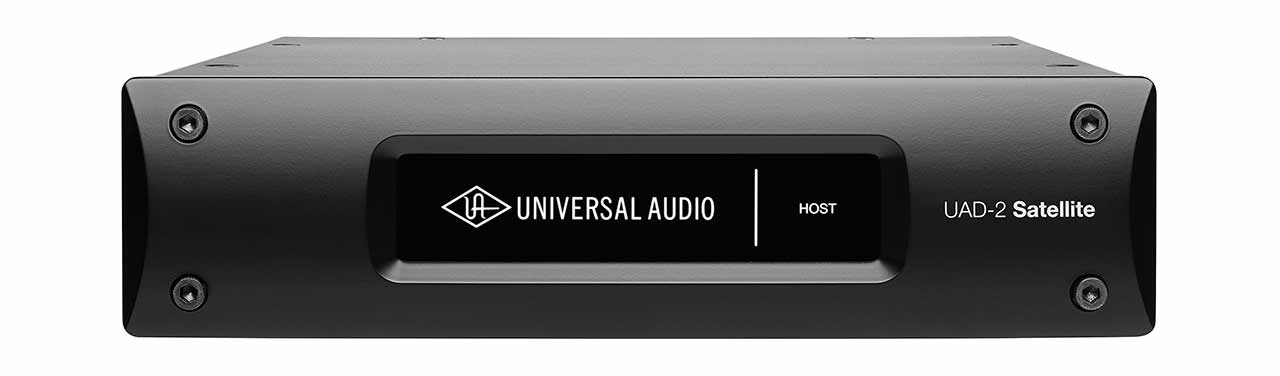
Universal Audio has announced the imminent release of its new UAD-2 Satellite Duo and Quad family of FireWire DSP Accelerator Packages. The UAD-2 Satellite puts the entire UAD Powered Plug-Ins library within easy reach of Firewire 800 and 400-equipped computers; no PCIe card installation required.

The UAD-2 Satellite puts the entire UAD Powered Plug-Ins library within easy reach of Firewire 800 and 400-equipped computers; no PCIe card installation required.

Available in DUO or QUAD processor format (with either two or four Analog Devices SHARC processors, respectively), UAD-2 Satellite packages provide a processing “boost” for digital audio workstations, and include a selection of classic analog emulation plug-ins (created with classic brands such as Roland, Neve, Studer, dbx, SSL, Lexicon, Manley, Empirical Labs, Trident, SPL, EMT and more) right out of the box.

This gives computer-based musicians and engineers the warmth and harmonics of classic analog recordings, wherever they mix.

UAD-2 Satellite features include:

- Access the UAD Powered Plug-Ins library on select Firewire 800 and 400 equipped computers
- Compatible with a wide range of modern Intel-based iMacs and MacBook Pros
- Run larger mixes in Pro Tools, Logic, Cubase, Nuendo, Performer and more — without taxing host computer CPU
- 5 models to choose from: DUO (Core); DUO Flexi (w/ $500 Plug-In Voucher); QUAD (Core), QUAD Flexi (w/ $500 Plug-In Voucher), and QUAD Omni v.5.7 (w/ 50 UAD plug-ins)

The complete line of UAD-2 Satellite DSP Accelerators is slated for a Q1 2011 release with prices starting at $899 MAPP.

For the latest release information on the UAD-2 Satellite, visit UA’s website: http://www.uaudio.co

Universal Audio Releases Studer A800 Tape Recorder Plug-in for UAD-2

December 16, 2010 by  
/* Filed under News */

Universal Audio‘s anticipated new Studer A800 Multichannel Tape Recorder plug-in is now available to UAD-2 Powered Plug-Ins Users on Mac and PC.

Universal Audio's Studer A800 plug-in interface

The A800 is Studer‘s premier, most popular tape machine, known for its warm sound, solid punchy low-end, and overall presence.

And the A800 plug-in is a first of its kind product, modeled by UA’s DSP engineers with help from AES magnetic recording expert Jay McKnight over a 12-month period. The plug-in models the entire tape path and circuit electronics of the classic hardware, plus the sounds of four distinct tape formulas.

Available for purchase via UA’s Online Store, the Studer A800 Multichannel Tape Recorder plug-in sells for $349.

Studer A800 Multichannel Tape Recorder Plug-In features include:

• Studer-endorsed, UA-modeled emulation of the world’s most popular Multichannel Tape Recorder
• Provides the warm, natural sound and punchy low-end response of 2” analog tape from clean, to saturated, to clipped
• Provides painstakingly accurate A800 electronic path and magnetic tape model, including Input, Sync and Repro paths
• Features four of the most popular Tape Formulas and Calibration Levels

Watch the trailer video for the Studer A800 plug-in via UA’s YouTube Channel or here:

UAD Software v5.8.0 is available as a FREE download for Mac and PC users worldwide at
http://www.uaudio.com/support/uad/downloads/index.html.

And click here for more information on UA’s Studer A800 plug-in.

Universal Audio Releases SSL E Series Channel Strip & G Series Bus Compressor Plug-Ins For UAD-2 Platform

December 1, 2010 by  
/* Filed under News */

Universal Audio‘s brand-new Solid State Logic-authenticated SSL E Series Channel Strip and G Series Bus Compressor plug-ins are now available for the UAD-2 platform.

SSL E Series Channel Strip plug-in w/ Type E “black knob”

The SSL E Series Channel Strip plug-in for UAD-2 is the result of Universal Audio’s painstaking circuit emulation of the esteemed SSL 4000 console, complete with both the Type E “black knob” and “brown knob” four-band EQ — widely held to be the favorites in SSL’s signal processing lineage.

Other features include high and low cut filters, and independent Expander/Gate and Compressor/Limiter.

As a nice complement to the E Series Channel Strip, the SSL G Series Bus Compressor emulates the center section console dynamics from the SSL 4000, in all its glory. This plug-in features the same simple control set and transparent compression characteristics of the hardware version, including its famed ability to “glue” together a mix.

With SSL’s direct involvement, UA has captured the essence of this iconic device with exacting accuracy — right down to the Auto Fade control.

Available for purchase via UA’s Online Store, the SSL E Series Channel Strip and SSL G Series Bus Compressor plug-ins sell for $299 and $249 respectively.

SSL E Series Channel Strip Powered Plug-In features include:

• UAD circuit emulation of the SSL E Series console featuring both Type E “black”
and “brown” EQ’s, plus cut filters
• Flexible Compressor range from transparent to “in your face”
• Highly responsive Gate including “no-chatter” mode derived from later SSL
designs

Tthe SSL G Series Bus Compressor plug-in emulates the center section console dynamics from the SSL 4000.

SSL G Series Bus Compressor Powered Plug-In features include:

• UAD circuit emulation of SSL G Series compressor
• Specially tailored dynamic characteristics ideal for compressing the full mix or
subgroups
• Auto Fade feature from original console

Click for more information on the SSL E Series Channel Strip plug-in and the SSL G Series Bus Compressor plug-in.

The SSL E Series Channel Strip and SSL G Series Bus Compressor plug-ins are available as part of the new UAD Software v5.8.0 release. In addition to the two new SSL titles, v5.8.0 includes the new Studer A800 Multichannel Tape Recorder plug-in, as well as 64-Bit Mac OS support and additional performance enhancements for all UAD-2 users on the Windows platform.

UAD Software v5.8.0 is available as a FREE download for Mac and PC users worldwide HERE.

Next Page »